Thank you for installing Web Blocker!
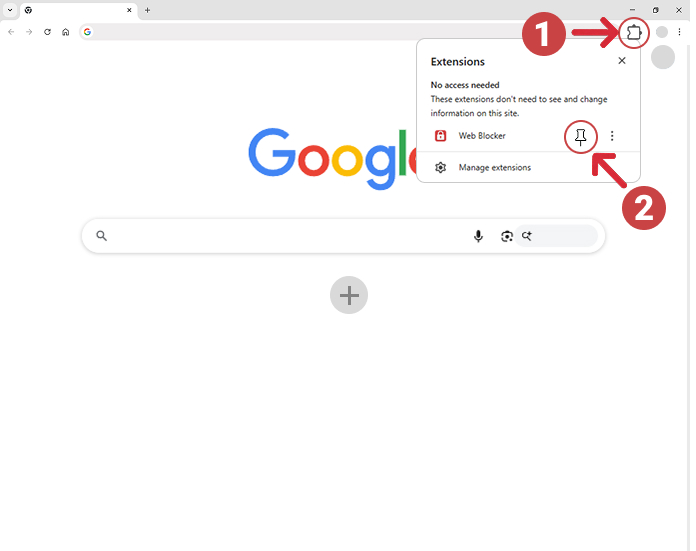
To get started, click the Extensions icon (Step 1) in the top right corner of Chrome, then click the pin icon (Step 2) next to 'Web Blocker' to pin it to your toolbar:
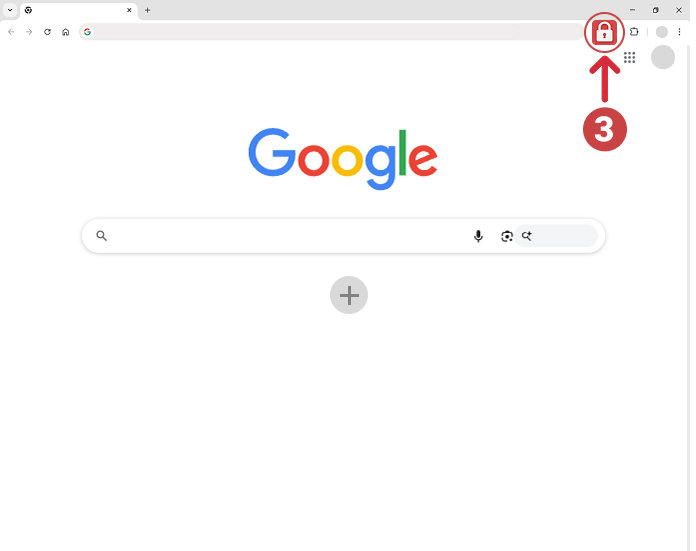
Click the 'Web Blocker' icon (Step 3) whenever you want to block distracting websites: